⚡ Connect faster, stay ahead — don’t let slow cables hold you back!
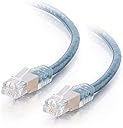
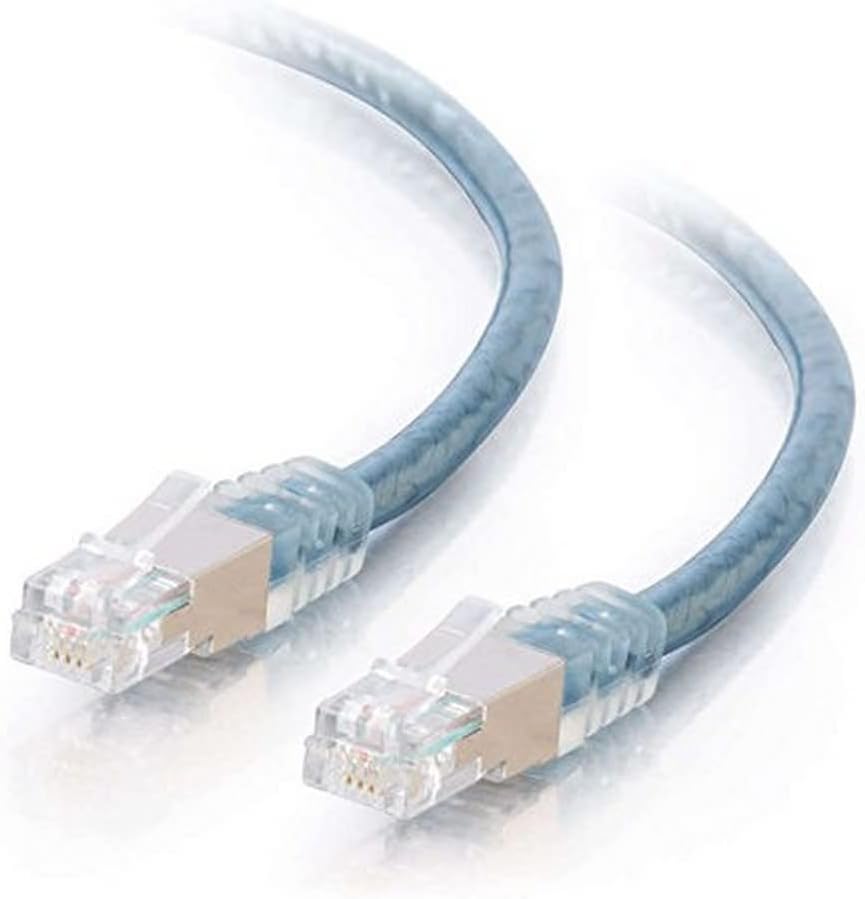
The C2G RJ11 Ethernet Network Cable is a 100-foot transparent blue DSL modem cable designed to deliver up to 10 times faster data transmission than regular phone cords. Featuring snagless molded RJ11 connectors, foil double-shielding, and twisted-pair construction, it ensures durable, high-speed, and interference-free DSL connectivity compatible with all major providers.


| ASIN | B0002J2AOS |
| Best Sellers Rank | #71 in Modem Cables |
| Brand | C2G |
| Cable Type | Modem |
| Color | Grey |
| Compatible Devices | Modem |
| Compatible Phone Models | Compatible with standard analog phones, specific models not listed |
| Connector Gender | Male-to-Male |
| Connector Type | RJ11 |
| Customer Package Type | Standard Packaging |
| Customer Reviews | 4.4 4.4 out of 5 stars (171) |
| Data Transfer Rate | 560 Kbps |
| Date First Available | July 19, 2004 |
| Department | All Ages |
| Ethernet cable category | Cat 6 |
| Global Trade Identification Number | 00757120287261 |
| Indoor/Outdoor Usage | Indoor |
| Is Discontinued By Manufacturer | No |
| Item Weight | 2 pounds |
| Item model number | 28726 |
| Manufacturer | C2G |
| National Stock Number | 0 |
| Number of Items | 1 |
| Number of Pins | 6 |
| Outer Material | Polyvinyl Chloride (PVC) |
| Product Dimensions | 11 x 9 x 3 inches |
| Shape | Round |
| Special Feature | Data Transfer, High Speed |
| UPC | 757120287261 012303748428 |
| Unit Count | 100.0 Feet |
A**N
It works
I recently upgraded my landlady's TP (Twisted-Pair) for her phone and I gotta tell you that it works. Now, material wise I gave it 3 stars because it is stranded vs. solid core cabling, which if running to your outside telco box you would want to use solid cabling. However, in my case with all the twisting and turning it worked out having stranded core. Will it boost DSL speed? That depends upon both distance from the telco building and your plan. What I will say is that overall our signal strength has greatly improved, thus the quality of our data throughput but not our speed. In our case she had me run the cable along other electrical cabling, which typically reduces and interferes with concurrent electrical signals, so the shielding did greatly improve the signal over the previous non-shielded and non-twisted pair Cat3. Pulling games from the Washington Steam server, we have a stable 2.8Mbps over the previous needle hoping between 1.9 and 2.9Mbps. The cable is rated for VDSL (i.e., 50Mbps), so in theory if you had a higher speed plan you could be choked by other cables than something like this. In other words, if you are using whatever the phone company gave you switch to this or have them install it for you. For the outside run, after I installed it into the telco box, I wrapped the cable in an UV rated electrical tape to protect against the elements. I would not bury this cable. In addition, I would use a either a telco box DSL/phone splitter, an outside addon DSL/phone splitter, or an indoor DSL/phone splitter. A splitter is not a microfilter (i.e., the dongle that the phone company plugs into the wall), instead a splitter actually splits the in-line into two separate signals rather than filtering the signals. Between this cable and the splitter, the quality of our DSL has greatly improved even though our speed has not. I hope this review helps, and I will upload pictures later.
T**N
A good cable
I'd purchased this cable hoping to increase my speed on Frontier DSL. The cable from my network interface device traveled a long distance to the modem/router at my business and I'd suspected heavy interference. I purchased a long length of this cable, a short length of this cable, a short length of regular flat phone cable, and a DSL splitter to install next to my network interface device. I plugged one end of the long cable into the modem/router and looking through the clear portion of the rj11 connector at that connection cut off the excess at the other end and matched the ring and tip colors leaving my splitter to be correct for my connection. I used my old cable at the phone connection at the splitter and used a bit of the excess of this cable that I'd cut off to make the connection from network interface device into my splitter. My abysmal connection showed a consistent double in speed from before. Since then I've changed internet service providers and they're using a cable connection instead of DSL. I cannot speak to the maximum speed attainable from this cable but in an absolutely terrible connection it did double the speed. At 85 feet passing by numerous power supplies and led lights my speeds matched the ones found plugging directly into the test port of the Network interface device on short cables. The cable utilized a twisted pair of orange and orange/white, and a twisted pair of green and green white. A 2 pair wire. The copper conductors are fine, stranded wire. The pairs are surrounded by a plastic wrap, foil wrap, shielding wire wrap, then a thick plastic insulation. It's a well built cable, but you're going to have to wrestle with it at low temperatures. That outside insulation is stiff. A very nice product for DSL customers. Unfortunately Frontier had quit upgrading our area and was charging the same for 6mbps (3.6mbps max measured by myself and a friend at another home in the area) as a local cable internet provider was charging for 100mbps (90-110mbps measured so far). So great cable, but check to make sure you're not dealing with a worthless ISP first.
B**4
Works with CenturyLink C4000LG modem
Purchased C2G RJ11 100' length to use with my CenturyLink C4000LG DSL modem. I connected one end to a phone jack in the garage which was closest to the Dmark, ran the cable through the attic, then connected the other end to the back of the CenturyLink modem mentioned above. Cable is shielded, easy to work with and improved my speed by 20mbs (actually gave me the full speed CenturyLink said I should get). As others have said in their reviews this is not an ethernet cable. This is a cable to to replace the green cord that came with the DSL modem. You plug one end in a standard RJ11phone jack and the other in the RJ11 jack on your modem (not the Wan or Lan jack which is an RJ45 jack). Hope this helps others.
E**B
Works great.
Been using this for a long time now. No issues, nothing of note. Functions as intended.
S**R
Great line for rewiring DSL
In my case, I simply wanted to rewire my home DSL (it's a VDSL2 line that's capable of at least 65/40 Mbps DL/UL speeds) into a closet that was perfectly in the middle of my house. I tried to find the best/cheapest cable I could that would somewhat work out of the box, and that's how I landed buying a 100ft version of this one. I routed it through my house staying at least 2+ feet away from any 120/240 power lines where I could, completely avoid anything with AC motors (Washing machines, garage openers, etc.). Cut the RJ11 jack off the end, then wired it into my NID on the side of my house. For the cleanest signal, you should disconnect your old wires from your NID, then wire in a grounding connection from the cable shielding to the grounding point on your NID.
B**N
Does what it claims to do. Boosted my slow dsl connection quite a bit. Ran straight from the line coming in to the modem. Much more reliable service. Would recommend.
A**R
Works great
A**M
It’s garbage it’s working at all wasting money and time
Trustpilot
1 month ago
3 weeks ago